Prerequisites
Before you begin, please ensure:- Dify account registered Visit Dify Official Website to register an account, choose cloud or self-hosted version
-
OneAster API Key obtained
Log in to OneAster Console to get your API key (starts with
sk-)
Step 1: Log in to Dify and Access Settings
1.1 Access Dify Platform
- Cloud Version: Visit https://cloud.dify.ai and log in
- Self-hosted Version: Visit your Dify deployment address
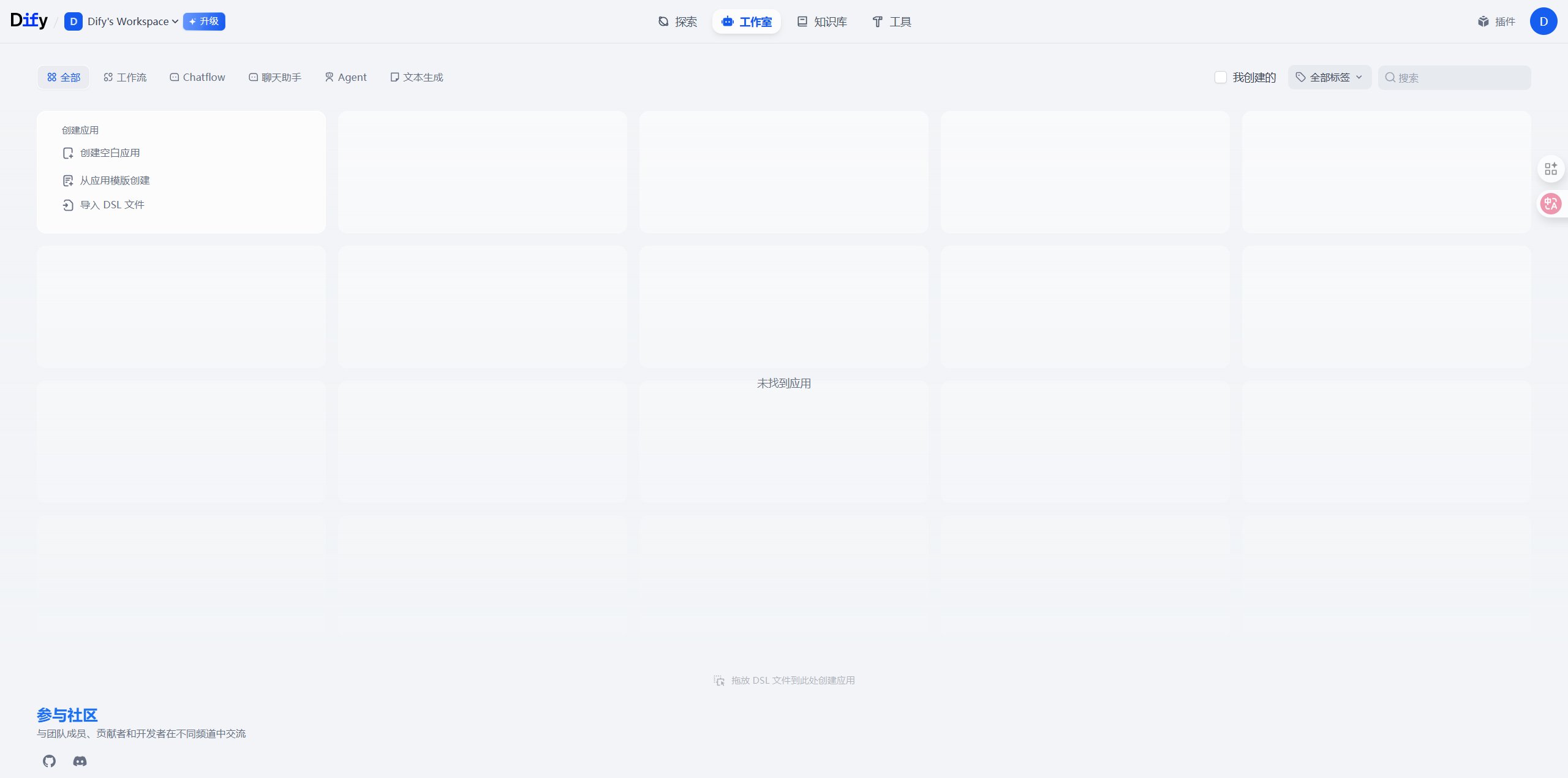
1.2 Navigate to Model Settings
- Click the avatar icon in the top right corner
- Select Settings
- Choose Model Provider in the left menu
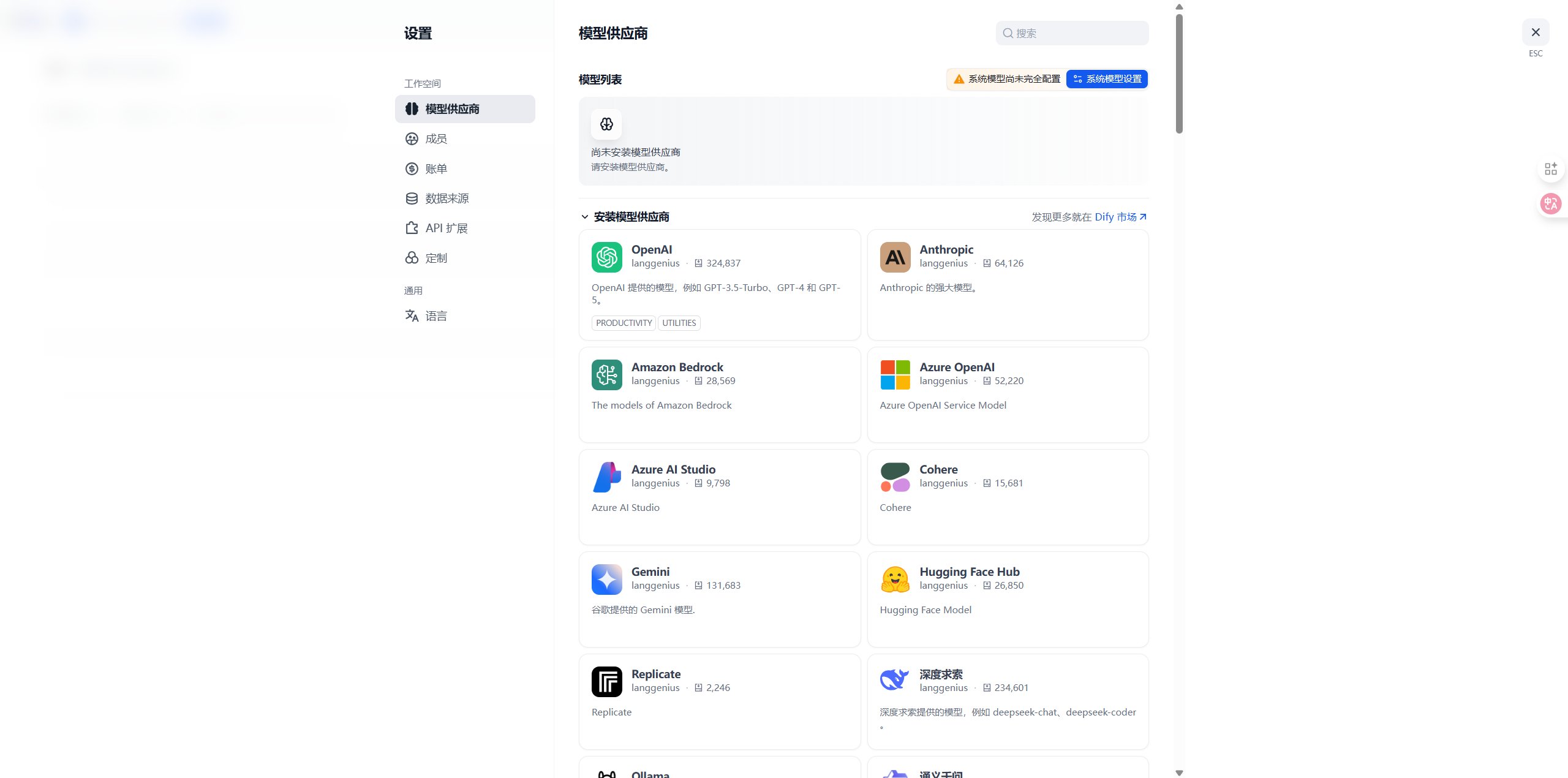
Step 2: Add OneAster Model Provider
- In OpenAI provider settings, directly modify Base URL to
https://api.oneaster.ai/v1 - Enter your OneAster API Key
- Faster and simpler configuration
- More flexible, can manage OneAster provider separately
- Convenient for using multiple API providers simultaneously
2.1 Select Configuration Method
Method 1: Use OpenAI Custom API (Recommended)
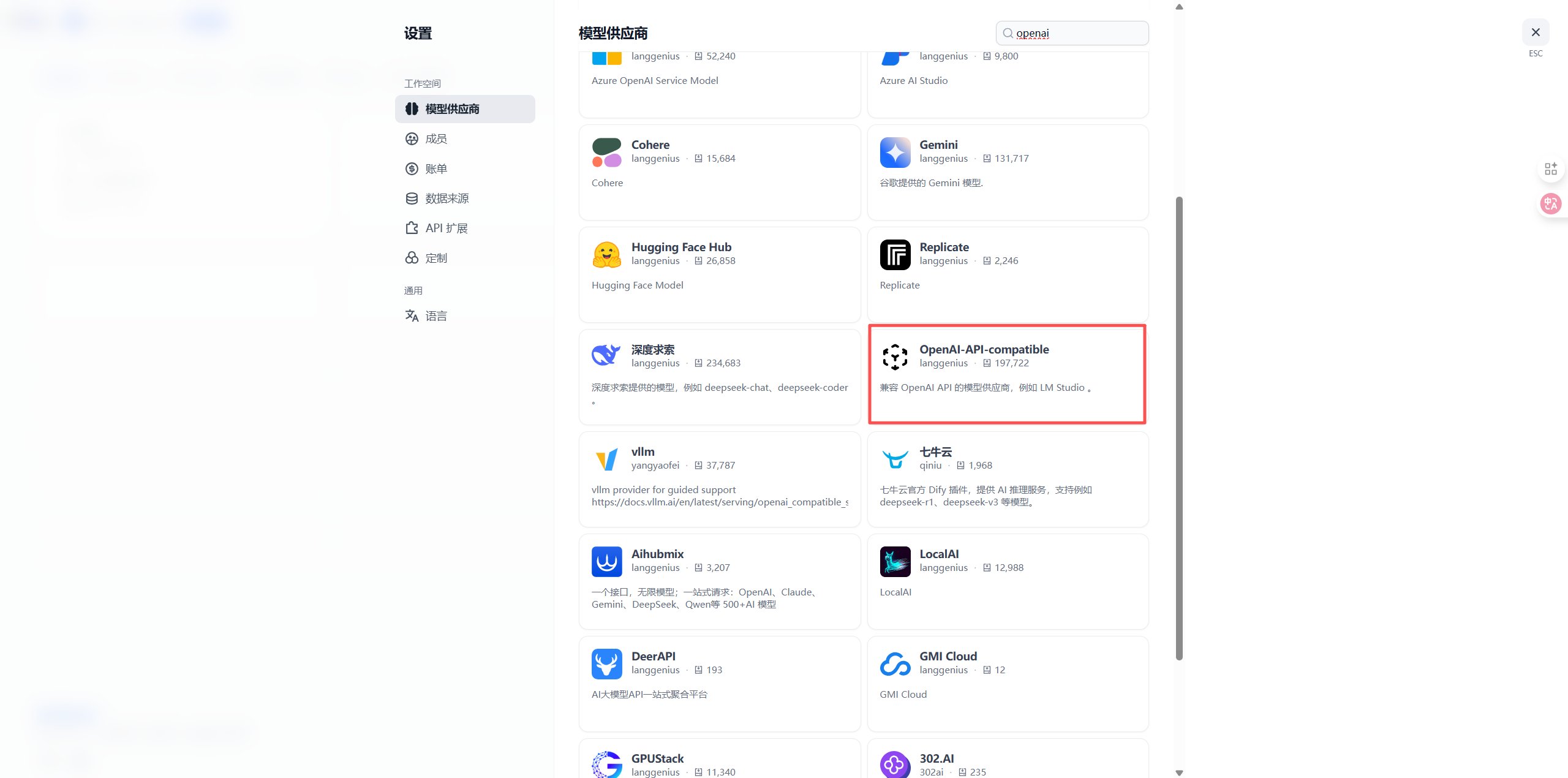
- Find the OpenAI provider on the Model Provider page
- Click the Configure or Settings button
- On the configuration page:
- API Key: Enter your OneAster API key (
sk-xxxxxxxxxxxx) - API Base URL or Base URL: Enter
https://api.oneaster.ai/v1
- API Key: Enter your OneAster API key (
- Click Save
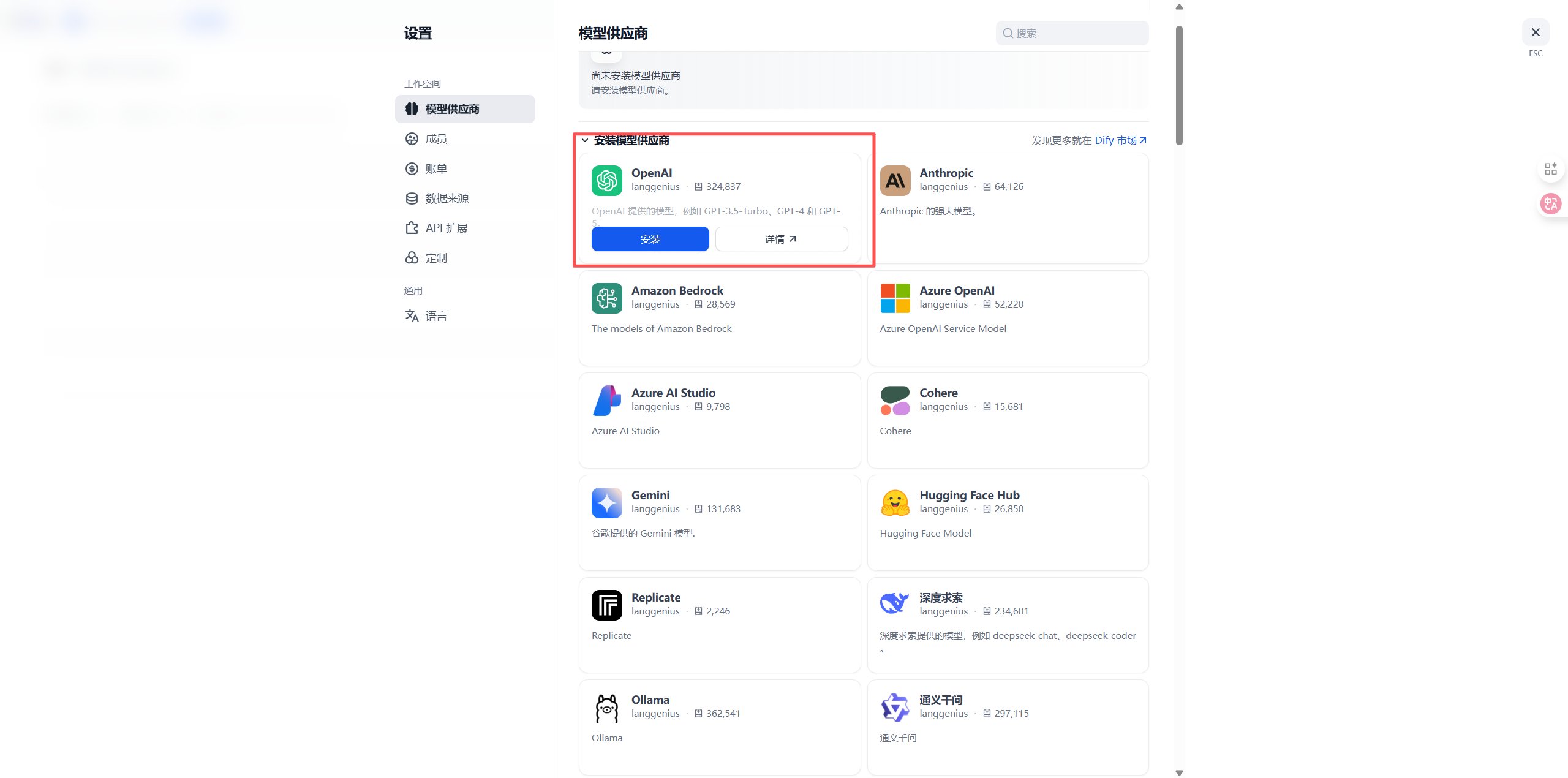
On the Dify model providers page, open the OpenAI configuration. Enter your OneAster API Key and Base URL https://api.oneaster.ai/v1, then save.
- After configuration, return to the OpenAI provider page and view the Model List
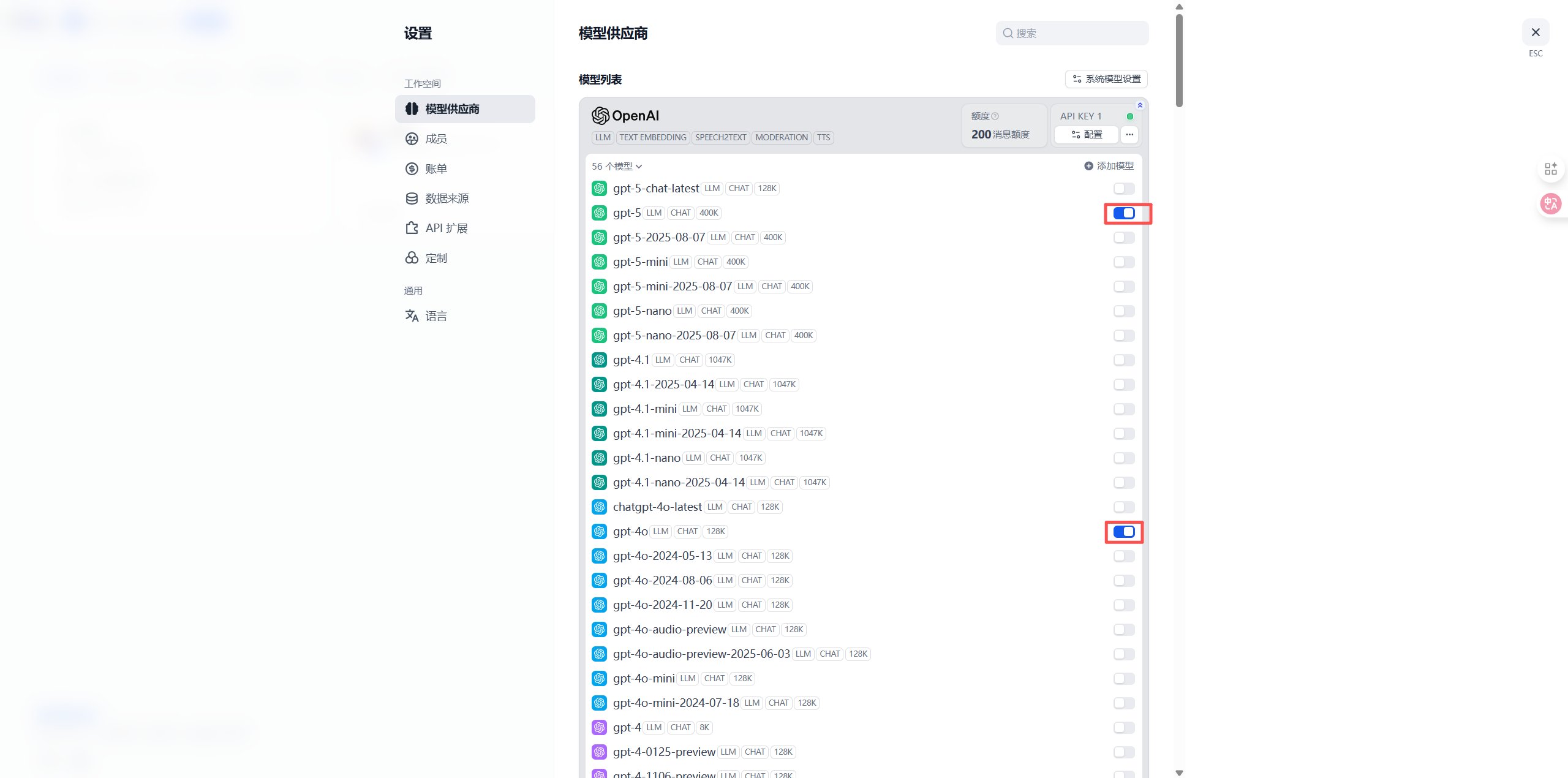
- In the model list, find the models you need (e.g.,
gpt-4o,gpt-4o-mini,chatgpt-4o-latest, etc.) - Click the switch on the right side of the model to enable it (blue indicates enabled)
Method 2: Add Custom Model Provider
On the Model Provider page:- Scroll down to the Custom Model section
- Click the + Add Model button
2.2 Configure OneAster Provider
In the configuration dialog, fill in the following information:In the provider dialog, enter oneaster, select model type LLM, and enter your OneAster API Key and API endpoint URL https://api.oneaster.ai/v1. Enter the actual model ID in the endpoint model name field and save.
2.3 Add More Models (Optional)
To add more models, repeat the above steps:- In the custom model section, click the + Add Model button again
- Fill in the configuration information for another model
- Click Save
GPT-4/5 Series
Claude Series
Gemini Series
Step 3: Use OneAster Models in Applications
3.1 Create New Application
- Return to Dify homepage
- Click Create App button
- Select application type:
- Chatbot - Conversational application
- Text Generator - Text generation application
- Agent - Intelligent agent
- Workflow - Complex workflow application
On the Dify home page, click Create App. Choose Chat Assistant, Text Generation, Agent, or Workflow, enter the app details, and create the app.
3.2 Select OneAster Model
On the application orchestration page:- Find the Model Settings area
- Click the Select Model dropdown
- Select OneAster provider
- Choose your configured model (e.g.,
gpt-4o)
In the app orchestration page, open Model Settings and Select Model. Choose the OneAster provider and the model you configured.
3.3 Configure Model Parameters
Adjust model parameters as needed:Open the model parameter settings and adjust Temperature, Max Tokens, and Top P for your task. Use the parameter table in this section as a reference and test changes in Preview.
Step 4: Build and Test Application
4.1 Add Prompts
On the application orchestration page:- Write prompts in the System Prompt area
- Use variables to make your app dynamic:
{{variable_name}}- User input variable{{context}}- Knowledge base context
Enter the role, task, and response requirements in System Prompt. Insert variables such as {{variable_name}} or {{context}} for dynamic content and supply their values before testing.
4.2 Add Knowledge Base (Optional)
If you need RAG (Retrieval Augmented Generation) capability:- Click Knowledge Base in the left menu
- Create new knowledge base and upload documents
- Link knowledge base on application orchestration page
- Configure retrieval parameters
4.3 Test Application
- Input test questions in the Preview panel on the right
- Review AI response effectiveness
- Adjust prompts and parameters as needed
- Repeat testing until satisfied
Enter a test question in the Preview panel on the right and inspect the response. Adjust the prompt or model parameters and test again.
4.4 Publish Application
After testing:- Click Publish button in top right
- Select publishing method:
- API Call - Integration via API
- Embed in Website - Generate embed code
- Public Link - Generate share link
After testing, click Publish at the top right. Choose API access, website embedding, or a public link and complete the configuration for that option.
Step 5: Monitor and Optimize
5.1 View Application Logs
On the application details page:- Click the Logs tab
- View all conversation records
- Analyze user questions and AI responses
- Discover improvement opportunities
Open the Logs tab on the app details page. Select a conversation, review the user input and AI response, and identify prompt or model settings to improve.
5.2 Monitor API Usage
Log in to OneAster Console to view:- 📊 API Call Statistics - Total calls, success rate
- 💰 Cost Details - Daily/monthly costs
- 📈 Usage Trends - Usage change trends
- 🔍 Request Logs - Detailed request records
5.3 Optimize Application Performance
Optimize based on monitoring data:-
Adjust Model Selection
- Use
gpt-4o-minifor simple tasks to reduce costs - Use
gpt-4oorclaude-sonnet-4-5for complex tasks to improve quality
- Use
-
Optimize Prompts
- Make prompts clearer and more specific
- Add examples to improve effectiveness
- Use chain-of-thought for better reasoning
-
Configure Caching
- Enable caching for similar questions
- Reduce API call costs
Advanced Features
Using Workflow Orchestration
Dify’s workflow feature allows you to:- Conditional Branches - Execute different logic based on conditions
- Multi-model Collaboration - Combine advantages of multiple models
- External Tool Calls - Call APIs, databases, and other external resources
- Variable Passing - Pass data between different nodes
Configuring Agent Capabilities
Build intelligent agents with OneAster models:- Tool Calling - Let AI call external tools
- Memory Management - Maintain long-term conversation memory
- Autonomous Decision-making - AI autonomously plans execution steps
Multimodal Applications
Leverage OneAster’s multimodal capabilities:- Image Understanding - Use
gpt-4oorclaude-3to process images - Image Generation - Integrate OneAster’s image generation API
- Voice Processing - Integrate TTS and STT services
FAQ
Q1: Cannot connect to OneAster service?
Solution:-
Check Base URL:
- Ensure it’s
https://api.oneaster.ai/v1(includes/v1) - Don’t add extra paths or omit
/v1
- Ensure it’s
-
Verify API Key:
- Confirm API Key starts with
sk- - Check if key is valid in OneAster Console
- Confirm API Key starts with
-
Check Network Connection:
- Ensure server can access
https://api.oneaster.ai - Self-hosted versions need to ensure server network connectivity
- Ensure server can access
Q2: Model response is slow?
Solution:-
Switch to Faster Models:
- Use
gpt-4o-miniinstead ofgpt-4o - Use
gemini-2.0-flash-expfor faster response
- Use
-
Optimize Prompt Length:
- Reduce unnecessary context
- Simplify prompt descriptions
-
Adjust Knowledge Base Retrieval:
- Reduce number of retrieved documents
- Increase similarity threshold
Q3: API calls fail or return errors?
Common errors and solutions:Q4: How to reduce API usage costs?
Cost optimization suggestions:-
Model Selection:
- Use
gpt-4o-minifor simple tasks (cost is only 1/10 ofgpt-4o) - Consider more economical models for batch tasks
- Use
-
Enable Caching:
- Return cached results for same questions
- Configure similarity matching in Dify
-
Optimize Output Length:
- Set reasonable Max Tokens
- Avoid generating overly long responses
-
Use Streaming Output:
- Improve user experience without increasing costs
Q5: How to handle sensitive data?
Data security recommendations:-
Use Environment Variables:
- Don’t hardcode API Keys in code
- Use Dify’s environment variable feature
-
Configure Access Control:
- Set application access permissions
- Enable authentication for API calls
-
Audit Logs:
- Regularly check application logs
- Monitor abnormal access patterns
Best Practices
1. Prompt Engineering
Structured Prompts:2. Knowledge Base Management
- Chunking Strategy: Set reasonable document chunk size (recommended 500-1000 characters)
- Metadata Tagging: Add metadata to documents for easier retrieval
- Regular Updates: Keep knowledge base content up-to-date
3. Error Handling
- Friendly Messages: Provide clear error messages to users
- Fallback Strategy: Switch to backup model when primary fails
- Retry Mechanism: Auto-retry for temporary errors
4. Performance Monitoring
- Set Alerts: Alert for low balance, high error rates
- Regular Analysis: Analyze usage data weekly/monthly
- Continuous Optimization: Adjust configuration based on data
Use Case Examples
1. Intelligent Customer Service
Application Configuration:- Model:
gpt-4o-mini(cost-effective) - Knowledge Base: Product docs, FAQ
- Features: Auto-answer common questions, escalate complex issues to human
2. Content Creation Assistant
Application Configuration:- Model:
gpt-4oorclaude-sonnet-4-5(high quality) - Features: Article generation, rewriting, polishing
- Parameters: Temperature=0.8 (enhance creativity)
3. Code Assistant
Application Configuration:- Model:
claude-sonnet-4-5(excellent for code) - Features: Code generation, explanation, debugging
- Knowledge Base: Project docs, API docs
4. Data Analysis Assistant
Application Configuration:- Model:
gpt-4o(strong reasoning ability) - Tools: Python code execution, data visualization
- Features: Data analysis, report generation
Features
Using Dify + OneAster, you can:- 🤖 Quickly Build AI Apps - Create powerful AI applications without coding
- 📚 Knowledge Base Enhancement - RAG technology lets AI answer based on your data
- 🔧 Flexible Workflows - Visually orchestrate complex AI logic
- 🎯 Precise Prompt Management - Version control and A/B testing
- 📊 Complete Monitoring & Analytics - Understand app usage and performance
- 🔌 Multiple Integration Methods - API, embedded, WebApp, and more
- 👥 Team Collaboration - Support multi-user collaborative development
- 🌐 Multi-model Support - Flexibly switch between different AI models
Support & Help
If you encounter any issues:- 📚 OneAster Documentation
- 📚 Dify Official Documentation
- 💬 Discord Community
- 🐦 Twitter @oneaster_
- 📧 Technical Support: [email protected]